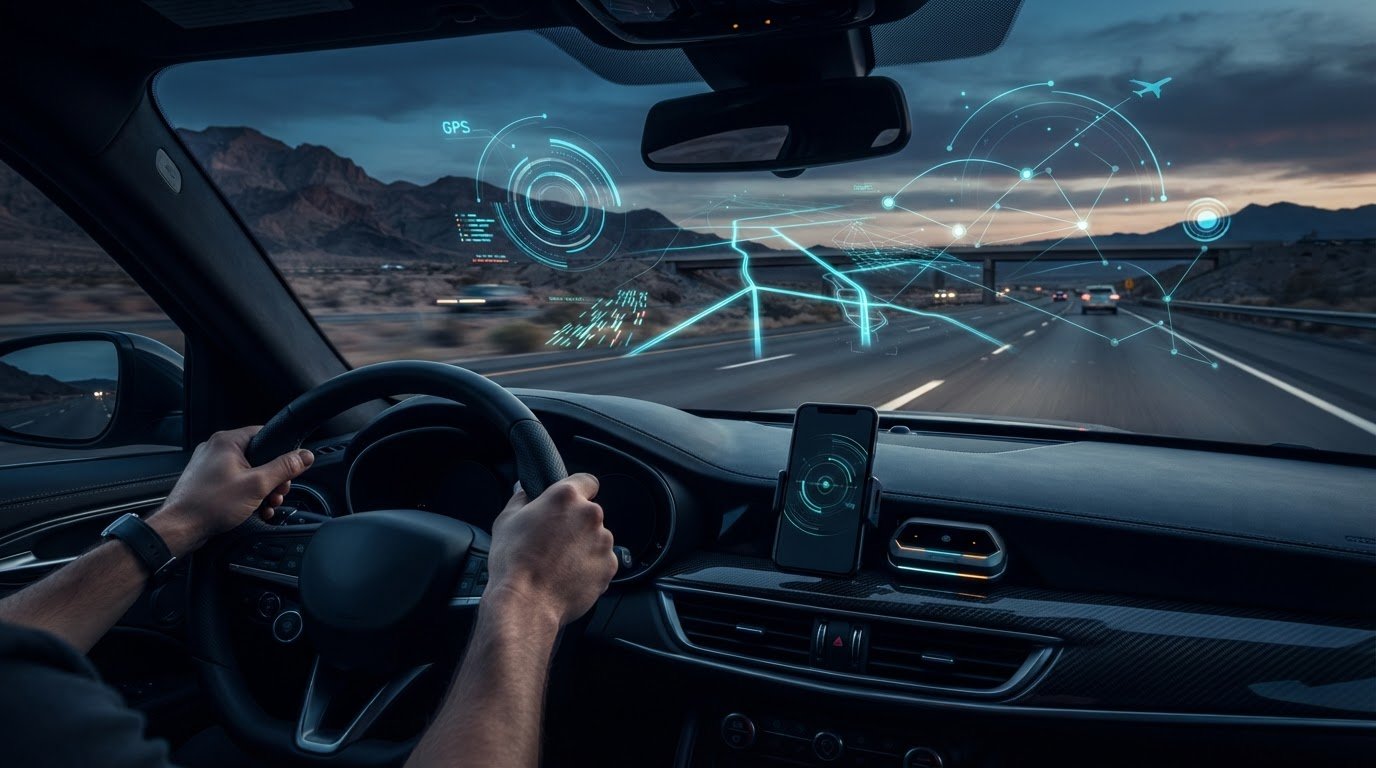
Your high-performance hardware is effectively blind without a digital brain to interpret the noise. Even the world’s #1 rated laser jammer needs a tactical interface to give you the split-second edge required against modern police LiDAR. You’ve likely felt the frustration of a windshield unit screaming at every automatic door or, worse, missing a speed trap because your crowdsourcing app was five minutes behind reality. Finding the best apps to use with a countermeasure system is no longer about convenience; it’s about establishing a “set-and-forget” tactical stack that provides total situational awareness.
We understand that an uncompromising driver demands more than just hardware. You need a system that filters the chaos and provides early warnings of threats the hardware hasn’t even seen yet. This 2026 guide breaks down the elite software integrations for Highway Radar, JBV1, and the ALPConnect interface. You’ll learn how to leverage ADS-B aircraft tracking and automated Jam-to-Kill sequences to achieve total control over your AL Priority system via your smartphone. It’s time to move beyond basic detection and master the battlefield intelligence required for true immunity on the road.
Key Takeaways
- Establish a professional tactical stack by bridging high-performance hardware with real-time GPS intelligence to eliminate blind spots and information overload.
- Identify the best apps to use with a countermeasure system to gain predictive awareness of police traps and low-flying aerial enforcement before you enter their range.
- Integrate the AL Priority Bluetooth module to transform your smartphone into a tactical command center with visual identification of specific police LiDAR guns.
- Optimize your background app settings and battery whitelisting to ensure “set-and-forget” reliability for your critical defense links during long-range drives.
- Master audio priority configurations to ensure that emergency laser alerts from your #1 rated system always override music and navigation for immediate reaction times.
The Strategic Role of Apps in Your Countermeasure Ecosystem
High-performance driving requires more than just reactive sensors. You need a proactive tactical stack. While the AL Priority system provides the physical defense needed to neutralize LIDAR, software provides the over-the-horizon intelligence to avoid the encounter entirely. Integrating the best apps to use with a countermeasure system transforms your vehicle from a simple target into a sophisticated digital cockpit. Modern threats like “instant-on” radar and aircraft pacing require a layered approach where hardware and software work in perfect unison. You aren’t just buying a device; you’re deploying a comprehensive security network that monitors the road miles ahead of your bumper.
To better understand how these tactical applications elevate your hardware’s performance, watch this comparison of leading companion software:
Since 2013, AL Priority USA has led the market by recognizing that hardware alone isn’t enough. Even the world’s #1 rated laser jammer benefits from real-time GPS data. This evolution from simple beeping boxes to integrated ecosystems allows drivers to maintain total control through a single interface. By combining physical radar and laser countermeasures with live digital telemetry, you create a shield that reacts to the immediate threat while planning for the one five miles ahead. This synergy ensures that your high-performance hardware isn’t just screaming at shadows but providing actionable data that allows you to adjust your speed before an officer even pulls the trigger.
Crowdsourcing vs. Direct Detection
Physical sensors are limited by physics. They require a direct line-of-sight to function. A laser jammer can’t see over a hill or around a bend, but a crowdsourced network can. Thousands of active “scouts” on the road act as your eyes. This network neutralizes “instant-on” threats by alerting you to a cruiser’s presence before they even aim their equipment at your vehicle. Relying on a single source of intelligence is a strategic failure. You need the direct detection of the AL Priority system to handle active targeting, but you need the crowdsourced layer to navigate around the trap altogether.
The Legal and Practical Advantage of App Integration
Using a smartphone as your primary interface offers a layer of legitimacy and discretion. Instead of reaching for a visible control set, you manage your countermeasure stack through a familiar device that belongs in every modern interior. Navigation apps provide a dual-purpose utility. AL Priority’s Bluetooth module serves as the critical bridge here. It allows for a “dark cabin” execution where your hardware remains hidden, yet you retain full command over your #1 rated system via a low-profile screen. This setup reduces information overload by filtering alerts through a single, intelligent hub.
The Foundation: Best Crowdsourced Apps for Speed Trap Alerts
Your first line of defense isn’t electronic; it’s communal. Crowdsourced data provides the over-the-horizon intelligence that hardware alone cannot reach. While your sensors handle immediate threats, the best apps to use with a countermeasure system alert you to stationary traps and hidden cruisers miles before you enter their acquisition range. Waze remains the undisputed leader here, boasting over 140 million monthly active users globally. This density of “scouts” creates a rolling verification algorithm that identifies threats with surgical precision, allowing you to adjust your positioning long before a visual encounter occurs.
Waze: Tactical Pros and Cons
The “Police Reported Ahead” alert is your most valuable asset. It buys you the critical seconds needed to scrub speed before an officer ever pulls the trigger. However, elite drivers customize Waze to eliminate visual clutter, focusing exclusively on police and hazard reports to prevent information overload. You must stay vigilant against “stale” reports. Waze typically marks a report as stale if it isn’t re-confirmed within 20 to 30 minutes. This is where your hardware acts as the final arbiter, verifying if the threat is still active or if the officer has moved to a new location.
Google Maps: The Reliability Alternative
For long-haul highway stability, Google Maps offers a cleaner UI and superior route management. While its reporting frequency lags behind Waze, its integration with CarPlay and Android Auto is flawless, providing a stealthy, integrated look for your digital cockpit. Understanding the legal landscape is also vital for the uncompromising driver. While federal regulations on radar detectors strictly ban physical hardware in commercial vehicles over 10,000 lbs, smartphone apps provide a layer of information that remains accessible to all private drivers across all 50 states.
Apple Maps has entered the space as a viable newcomer, though it currently lacks the reporting density of its competitors. Regardless of your choice, crowdsourced data is only the first layer of a professional defense. It identifies the trap, but it cannot stop a LIDAR beam that locks your vehicle speed in as little as 0.3 seconds. When selecting the best apps to use with a countermeasure system, remember that software is the scout, but hardware is the shield. For total immunity, you must anchor your digital stack with the #1 rated laser jammer system to handle the high-stakes threats that the crowd misses.
Advanced Tactical Apps: The Power-User Tier
Elite drivers don’t settle for passive alerts. When you’ve invested in the world’s #1 rated laser jammer, you need a software interface that matches that level of engineering. The best apps to use with a countermeasure system in the power-user tier move beyond simple navigation. They provide a comprehensive electronic warfare suite for your dashboard. These tools are designed for those who demand total control, offering deep technical data that filters out the noise of modern driving while highlighting high-stakes threats with surgical precision.
While the AL Priority system manages optical threats, users must understand federal regulations on RF jamming equipment, which strictly prohibit interfering with radio frequencies; this legal boundary is why top-tier stacks separate passive radar reception from active laser defense. By using advanced apps, you bridge the gap between these two worlds, creating a unified defense that respects federal law while maximizing your protection on the open road.
Highway Radar and the Sabre Plugin
Highway Radar serves as the ultimate situational awareness tool for Android users. It utilizes the Sabre plugin architecture to aggregate data from Waze, aircraft alerts, and weather into a single tactical display. This isn’t just a map; it’s a command center. You can customize alert distances based on your current vehicle speed, ensuring you receive warnings exactly when they are actionable. Highway Radar provides a professional-grade “heat map” of police activity by clustering historical and real-time reports to identify high-risk patrol zones. This allows you to predict where a trap will be before your sensors even catch a stray reflection.
JBV1: More Than Just a Radar App
For those running a Valentine One Gen2 alongside their laser defense, JBV1 is the essential companion. Its integration with the AL Priority system via the Bluetooth module is unmatched. It creates an “All-in-One” dashboard where you can monitor laser and radar threats simultaneously without switching screens. JBV1 creates a historical record of threats in your area, allowing you to analyze patrol patterns over time. It’s a tool for the connoisseur who values technical specificity, providing frequency-by-direction matrices that identify exactly what kind of hardware the officer is using. This level of detail is why JBV1 remains a staple for the elite countermeasure community.
Escort Live offers a more closed-ecosystem approach, which appeals to users who prefer a streamlined experience within a dedicated network. However, for those seeking the best apps to use with a countermeasure system, the open-source flexibility of Highway Radar and the deep ALP integration of JBV1 provide a significant tactical advantage. These apps don’t just tell you there’s a threat; they give you the battlefield intelligence to defeat it.

Maximizing Defense with the AL Priority Bluetooth App
The AL Priority app is the tactical command center for your vehicle’s defense. While Waze and Highway Radar provide the over-the-horizon “scout” layer, this dedicated interface provides direct, granular control over the world’s #1 rated laser jammer. It’s easily one of the best apps to use with a countermeasure system because it translates raw sensor data into actionable battlefield intelligence. When your vehicle is targeted, the app identifies the specific police LiDAR gun, such as a DragonEye or ProLaser IV, allowing you to react with precision. This real-time visualization is essential for modern drivers who refuse to guess what threat they’re facing.
Integrating the hardware app with your crowdsourced navigation fills a critical gap that most guides overlook. By running ALPConnect in the background or split-screen mode, you ensure that high-priority defense alerts always override your music or navigation. This creates a “dark cabin” execution where your physical control set remains hidden, yet you retain full command over your #1 rated system via your smartphone. Staying ahead of new LIDAR technology is also simplified through the app, which facilitates direct over-the-air firmware updates to keep your sensors optimized against the latest police hardware.
Unlocking Professional Features
The app allows you to toggle between “Park Assist” and “Defense” modes, providing a layer of legitimacy and practicality for your setup. One of the most critical configurations is the Jam-to-Kill (JTK) duration. Expert consensus suggests an automated JTK window of 4 to 6 seconds. This duration gives you sufficient time to scrub excess speed and match the legal limit before the jammer shuts off, allowing the officer to obtain a clean reading without triggering “jam codes” on their equipment. This strategic approach substantiates why the ALP interface is the gold standard for discerning users who prioritize both protection and discretion.
Wireless Connectivity and Reliability
The AL Priority Bluetooth Module V2 is the essential bridge in a 2026 tactical setup. It eliminates the need for complex wiring to the dashboard, ensuring a cleaner installation and more reliable data transfer between the CPU and your phone. For mission-critical defense, connection stability is paramount; the V2 module is engineered to maintain a persistent link even in high-interference environments. You can see how this integrates in our AL Priority: The Ultimate Laser Defense System guide for a deeper look at the hardware architecture. To complete your tactical stack, visit the official AL Priority store to secure the latest Bluetooth accessories.
Implementing Your Tactical Stack: A Step-by-Step Configuration
Achieving total immunity on the road requires more than just high-end hardware; it demands a systematic configuration. When selecting the best apps to use with a countermeasure system, you must establish a clear hierarchy of data. Waze serves as your primary navigation and broad-spectrum crowdsourcing tool, while the AL Priority app and Highway Radar act as your tactical specialists. This dual-layered approach ensures you aren’t overwhelmed by information but remain fully protected against immediate targets. A professional setup is the difference between a successful defense and an expensive oversight.
Audio Hierarchy and Alert Management
Audio alerts are the heartbeat of your defense. You must configure your smartphone to handle Bluetooth HFP (Hands-Free Profile) if you want alerts to interrupt your music or phone calls with zero latency. While A2DP is excellent for high-quality audio streaming, it can occasionally suffer from processing delays during critical warning windows. Never mute your hardware alerts in favor of app notifications. Your physical sensors provide the most reliable raw data. The app should augment that signal, not replace it. In high-activity urban environments, use the app’s filtering settings to reduce alert fatigue by locking out known false positives while keeping high-confidence threats prioritized.
The “Invisible Cockpit” Setup
The goal of any elite driver is a “dark cabin” execution where the technology is felt but not seen. Modern infotainment systems allow for split-screen modes that keep your tactical data alongside your map. Positioning your device is a balance of visibility and stealth. Use low-profile mounts that keep the screen within your peripheral vision but hidden from external observers. This discretion is vital for maintaining a professional profile. You can learn why this setup is critical in our Laser Jammer: The Ultimate 2026 Guide article.
Before hitting the highway, perform a full system verification. Ensure your AL Priority Bluetooth module is polling correctly and your audio hierarchy is functioning as intended. You must also whitelist your tactical apps in your phone’s battery optimization settings to prevent the operating system from killing background processes during long drives. This “set-and-forget” reliability ensures that your #1 rated system is always ready when the stakes are highest. Testing your configuration in a controlled environment ensures that when a LIDAR beam finally hits your bumper, your reaction is instinctive and your defense is absolute.
Master Your Tactical Advantage on the Road
Total security isn’t a passive state; it’s a strategic achievement. By integrating the best apps to use with a countermeasure system, you transform reactive hardware into a proactive defense network. You’ve learned how crowdsourced intelligence from Waze combined with the tactical depth of Highway Radar or JBV1 creates an over-the-horizon shield that physical sensors alone cannot provide. This layered approach ensures that you stay ahead of high-stakes LIDAR threats and aerial enforcement while maintaining a low-profile, professional cockpit. It’s about more than just avoiding traps; it’s about possessing absolute situational awareness every time you start the engine.
The foundation of this ecosystem remains the hardware. Since 2013, AL Priority has set the industry standard for uncompromising protection against the latest police technology. As the authorized US distributor, we provide the elite support and warranty your high-performance setup deserves. Don’t leave your security to chance or outdated software. Anchoring your tactical stack with the world’s #1 rated system is the only way to ensure total laser immunity. Upgrade to the #1 Rated AL Priority System Today and experience the peak of electronic countermeasure engineering. Your drive demands nothing less than absolute control.
Frequently Asked Questions
Do I really need an app if I have the #1 rated AL Priority system?
While the AL Priority system is the world’s #1 rated laser jammer, apps provide the over-the-horizon intelligence it lacks. Hardware is your reactive shield, but the best apps to use with a countermeasure system offer a proactive map of threats miles ahead. You need software to manage firmware updates and visualize exactly which police LIDAR gun is targeting you. Without an app, you’re relying solely on line-of-sight sensors rather than a complete tactical ecosystem.
Does Waze detect laser guns like a hardware jammer does?
Waze cannot detect or neutralize laser signals. It relies entirely on reports from other drivers. Police LIDAR units achieve a speed lock in as little as 0.3 seconds, which is far too fast for a crowdsourced alert to provide real-time protection. A hardware system like AL Priority is required to actively jam the signal. Waze simply tells you where a trap might be; the hardware ensures you’re protected if you actually encounter one.
Which app is better for avoiding speed traps: Waze or Highway Radar?
Waze is the king of crowdsourced volume, but Highway Radar is the superior choice for power-users. Waze provides simple alerts, whereas Highway Radar aggregates Waze data with aircraft tracking and police heat maps. For the most effective defense, the best apps to use with a countermeasure system are often used in tandem. Run Waze for navigation and use Highway Radar as a background tactical overlay to monitor aerial enforcement and historical patrol patterns.
Can I run the AL Priority app and Waze at the same time?
You can run both simultaneously using split-screen modes or background execution. Most elite drivers keep Waze visible for navigation while running the AL Priority app in the background. The ALP Bluetooth Module V2 ensures that critical defense alerts override your navigation audio immediately. This configuration allows you to maintain total control over your #1 rated system without losing access to real-time traffic and speed trap reports from the crowd.
Do countermeasure apps work in states where laser jammers are restricted?
Smartphone apps are legal navigation tools in all 50 states. While active laser jammers are restricted by state statute in 12 states and Washington, D.C., crowdsourcing apps like Waze and Highway Radar remain fully compliant with regional laws. Using these apps provides a vital layer of legitimacy and awareness. They allow you to maintain a low profile while still receiving early warnings about stationary patrols and high-risk enforcement zones across the country.
Will using these apps drain my phone battery during long drives?
High-performance tactical apps consume significant power because they constantly poll GPS and Bluetooth data. Running multiple layers of protection will drain your battery quickly during extended highway drives. We recommend a dedicated high-output USB-C charger to maintain your device’s charge. You should also whitelist your countermeasure apps in your phone’s battery optimization settings to ensure the operating system doesn’t kill your critical background links while you’re on the road.
Are there any free apps that can replace a professional radar detector?
No app can replace the physical sensors of a professional radar detector. Apps only show you what other people have already seen and reported. A hardware detector uses a local receiver to catch stray RF signals from police radar guns that haven’t been reported yet. For total immunity, you must combine a long-range receiver with an AL Priority laser defense system. Relying only on free apps leaves you vulnerable to instant-on radar and unreported traps.
How do I get my AL Priority system to talk to my smartphone?
Integration requires the AL Priority Bluetooth Module V2. This accessory acts as the bridge between your system’s CPU and your smartphone. Once installed, you simply download the ALPConnect app from the Apple App Store or Google Play Store and pair it with your hardware. This wireless link allows you to configure your sensors, perform firmware updates, and receive visual threat identification directly on your phone’s screen without needing a wired control set.
Leave a Reply