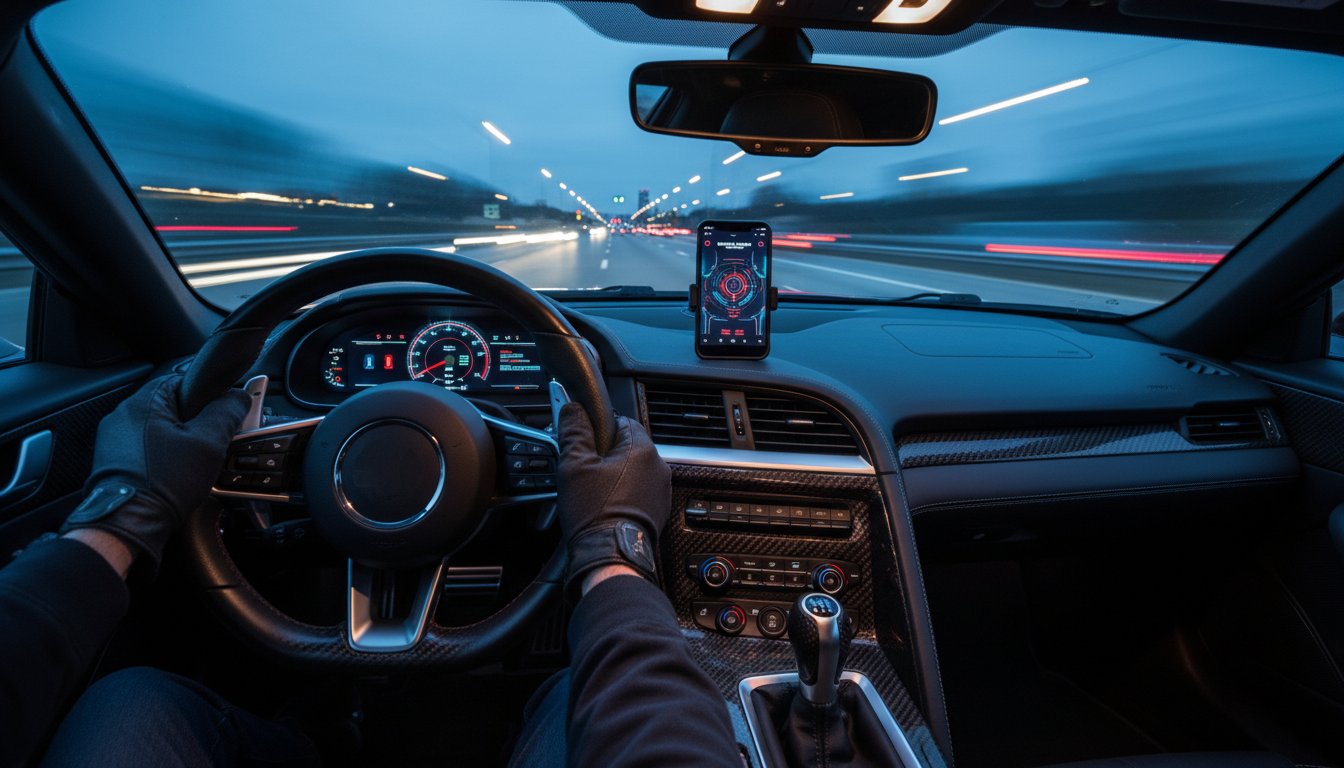
Why settle for a hidden black box when your smartphone can transform your cockpit into a tactical command center? You’ve already chosen the world’s most powerful multi-purpose laser defense system, yet many drivers fail to leverage the full unfair advantage that European engineering provides. It’s a common frustration to feel overwhelmed by hardware versions or struggle with initial pairing. We understand that for the person who refuses to compromise, every second of delay in your AL Priority bluetooth app setup is a second of vulnerability against a deadly LIDAR threat.
Since its establishment in 2013, AL Priority has remained the #1 rated laser jammer on the market. This guide ensures your tech stack matches that legendary performance. You’ll master the ALP Connect app to gain a high-definition visual dashboard and wireless firmware update capabilities. We’ll clarify the critical differences between HW1 and HW2 modules and walk through personalized profile configurations. By the end of this definitive 2026 guide, your system will be fully optimized for total laser defense control.
Key Takeaways
- Leverage the legendary performance of the world’s #1 rated laser jammer by transforming your smartphone into a high-tech command center for real-time threat detection.
- Follow our definitive walkthrough for a seamless AL Priority bluetooth app setup to unlock wireless communication between your CPU and the ALP Connect interface.
- Master the three primary defense profiles to instantly optimize your system’s response levels and sensitivity directly from your mobile touchscreen.
- Ensure uninterrupted protection with professional fail-safe configurations and expert tips for managing a hybrid setup with your physical control pad.
- Discover why elite drivers choose the ALP Connect experience over budget alternatives to maintain total psychological dominance during LIDAR encounters.
Mastering Your AL Priority: The Bluetooth Module Advantage
Since its launch in 2013, AL Priority has maintained its status as the world’s #1 rated laser jammer. It isn’t just a high-end parking sensor; it’s a sophisticated electronic countermeasure suite designed for drivers who refuse to compromise on road security. To unlock the full potential of this legendary system, the AL Priority bluetooth app setup is the critical first step. By integrating the Bluetooth Module (BT Module) V2, you establish a seamless wireless link between the hidden CPU and your smartphone, transforming your mobile device into a high-tech command center. Understanding how police lidar works is essential to appreciate why this wireless integration is a game-changer for real-time defense against modern speed enforcement.
To see the power of this wireless integration in action, watch this demonstration of the ALP Connect interface:
The ALP Connect ecosystem offers more than just a digital display. It provides visual alerts, crystal-clear voice prompts, and granular settings management that the standard control pad cannot match. This setup ensures you remain ahead of evolving enforcement technology while maintaining a clean, factory-style interior. For the serious enthusiast, the app is the only way to manage the system’s “unfair advantage” effectively.
Hardware Requirements and Compatibility
Professional users must first identify their hardware generation to ensure a successful AL Priority bluetooth app setup. While HW1 CPUs supported early iterations, modern HW2 and HW4 units are specifically optimized for the Bluetooth Module V2. This module is engineered to handle the high-speed data transfer required for 2026 smartphone operating systems. Upgrading to the latest hardware ensures your countermeasure suite remains stable during iOS or Android updates, preventing connection drops during critical encounters. It’s a necessary step for those who demand 100% uptime from their defense systems.
Why Visual Alerts Beat Standard Audio
The standard ALP control pad uses a single multi-color LED to communicate threats. This is often insufficient when facing complex LIDAR threats. The ALP Connect app identifies specific police guns, such as the variable pulse rate DragonEye, in real-time. Instead of guessing based on a blinking light, you receive clear voice alerts and visual confirmation on your screen. This “heads-up” experience allows you to react instantly. You can customize these alerts to fit your driving style, ensuring that every notification is relevant and actionable. Relying on the app means you aren’t just reacting to a signal; you’re managing a tactical situation with full data transparency.
Step-by-Step: Setting Up the ALP Connect App
Since 2013, AL Priority has maintained its status as the world’s premier laser defense system, consistently outperforming every competitor in independent testing. Completing your AL Priority bluetooth app setup is the final step in securing that unfair advantage on the road. The process begins by downloading the ALP Connect app from the Apple App Store or Google Play Store. This app transforms your smartphone into a high-tech command center, providing real-time alerts and stealth controls that physical control pads cannot match.
Physical installation is straightforward but requires precision. You must connect the Bluetooth Module directly to either the ‘Control’ or ‘Ext’ port on your ALP CPU. This hardware utilizes advanced automotive Bluetooth technology to ensure a low-latency, secure connection between your vehicle’s defensive sensors and your mobile device. Once the module is seated, power on the ALP system. You’ll initiate the pairing sequence by opening the app while the system is in its initialization phase. Look for the “ALP-BT” identifier in the app interface to finalize the digital handshake. To confirm everything is functioning at peak performance, use a tester al or trigger a simulated alert. A successful setup will show an immediate visual and audible response on your phone screen.
Initial App Configuration
Your smartphone requires specific permissions to interface with the #1 best performing laser jammer. You must grant the app access to both Bluetooth and Location services. Location data is critical because it allows the system to filter out false positives and manage GPS-based quiet modes. During your first launch, ensure you set your region to North America. This configuration optimizes the system to counter deadly LIDAR threats like the DragonEye, which utilize sophisticated pulse rates unique to this region. Finally, perform a firmware check within the app. If your CPU requires a 2026 update, the app will notify you immediately, ensuring your defense is never obsolete.
Pairing Troubleshooting
If the “ALP-BT” signal doesn’t appear in your device list, check your power source. The Bluetooth module requires a stable 12V connection to broadcast its ID. Keep in mind that AL Priority systems are designed for exclusive control; only one smartphone can be paired and active at any given time. If a secondary device is already connected, the system will remain hidden from other phones. To resolve persistent connection issues, unplug the Bluetooth module for 30 seconds and reconnect it to reset the pairing cache. For those who refuse to compromise on their vehicle’s security, ensuring a clean connection is the only way to maintain total protection. If you need to replace a damaged component, you can find genuine parts at AL Priority USA to keep your system running at 100% efficiency.
Optimizing Performance: Configuring Your Defense Profiles
AL Priority has maintained its status as the #1 best performing laser jammer since its 2013 debut. To maintain this legendary performance, you must master the AL Priority bluetooth app setup to configure your defense profiles. The ALP Connect interface allows you to toggle between three core profiles: Green, Yellow, and Blue. Each profile represents a specific tactical state, allowing you to adapt to changing legal environments or threat levels with a single tap on your smartphone touchscreen.
For the person that refuses to compromise, understanding Electronic Counter-Countermeasures (ECCM) is vital. Modern police LIDAR isn’t static; it uses sophisticated logic to detect interference. AL Priority’s ECCM technology allows the system to stay invisible to these “jammer-detecting” guns. To ensure these settings persist after a power cycle, you must save your configurations directly to the CPU. If you don’t commit these changes, the system will revert to its previous state after you turn off the ignition. For a deeper look at these technical parameters, consult this comprehensive AL Priority setup guide to ensure your hardware and software are perfectly synced.
Green vs. Blue Mode: Setting Your Defense Level
The Green profile is your 100% legal laser parking sensor mode. It provides high-frequency proximity alerts for low-speed maneuvering without activating any laser defense protocols. This is the essential setting for restrictive areas where active defense is prohibited. In contrast, the Blue profile is the “Defense Mode” designed for ultimate protection. In this state, the system is fully armed to neutralize deadly threats from police laser. The Yellow profile serves as a customizable middle ground, often used for city driving where you might want specific alert tones or reduced sensitivity to prevent distraction in heavy traffic.
Advanced LIDAR Filtering
Eliminating false alerts is what separates the AL Priority from inferior systems. You can adjust sensitivity within the app to filter out interference from adaptive cruise control (ACC) systems found on modern vehicles. High-end systems like DragonEye and Variable Pulse Rate (VPR) guns require specific countermeasures that AL Priority was the first to master. The AL Priority bluetooth app setup gives you the power to enable specific algorithms designed to defeat these advanced threats. The app utilizes sophisticated pulse rate recognition to distinguish between legitimate threats and environmental noise, ensuring elite-level protection in every scenario.
- DragonEye Protection: Enable specialized pulse patterns to defeat the most difficult LIDAR gun on the market.
- VPR Defense: Configure the system to recognize and neutralize Variable Pulse Rate technology instantly.
- ACC Filtering: Set sensitivity thresholds to ignore the 905nm infrared bleed from nearby cars.
By tailoring these profiles, you ensure that your AL Priority remains the most powerful multi-purpose laser defense system in your arsenal. Don’t settle for factory defaults when elite performance is just a few taps away.

Troubleshooting & Pro-Tips for Uninterrupted Protection
Ensuring your defense remains active requires more than just a successful initial AL Priority bluetooth app setup. Real-world conditions like signal interference or long-distance travel demand a system that thinks ahead. Since its inception in 2013, AL Priority has maintained its status as the world’s most powerful multi-purpose laser defense system by engineering redundancy into every feature. If your smartphone loses its Bluetooth connection mid-drive, the system doesn’t stop protecting you. It instantly switches to its internal fail-safe mode, relying on the physical Control Pad to manage alerts and jamming sequences without skipping a beat.
The Hybrid Control Advantage
The most elite users never rely on the app alone. Keeping the physical Control Pad connected provides a critical secondary backup that ensures you’re never flying blind. If your phone battery dies or the ALP Connect app crashes, the hardware takes over immediately. This hybrid configuration allows you to synchronize the LED colors on the physical pad with the visual dashboard on your phone. It creates a unified interface where a blue flash on your dash matches the high-visibility alert on your screen. This redundancy is why AL Priority remains the #1 best performing laser jammer for those who refuse to compromise on security.
Firmware Management via Bluetooth
Staying ahead of 2026 LIDAR threats requires agility. Police technology evolves; so must your defense. You can check your current version against the latest ALP laser jammer releases directly through the app interface. Using outdated software against modern ECCM (Electronic Counter-Countermeasures) like the DragonEye is a risk you can’t afford. The AL Priority bluetooth app setup simplifies maintenance by allowing wireless updates. Forget hunting for a USB stick or removing the control box from under your dash. Just download the update on your phone, sync it to the ALP system, and your vehicle is shielded against the newest threats in under three minutes.
To optimize performance during long highway hauls, adjust your phone’s battery settings to “Unrestricted” for the ALP Connect app. This prevents the operating system from putting the app to sleep while it’s running in the background. Your protection must be as relentless as the threats you face on the road. By managing these technical nuances, you maintain the “unfair advantage” that has defined the AL Priority brand for over a decade.
The Performance Advantage: Why ALP Connect is the Choice for the Elite
Elite drivers don’t leave their protection to chance. While budget alternatives like the TMG laser jammer attempt to offer basic coverage, they often fail against sophisticated threats like the DragonEye. AL Priority provides more than a shield; it provides intelligence. Through the ALP Connect interface, you gain the psychological edge of knowing exactly what LIDAR gun is targeting you and the precise moment the threat is defeated. This transparency eliminates the panic of a blind alert, allowing you to react with calm authority.
Since its launch in 2013, AL Priority has maintained its status as the world’s most powerful multi-purpose laser defense system. It’s the only system that has consistently defeated every new police technology for over a decade. Finalizing your AL Priority bluetooth app setup ensures that you’re never driving blind. It transforms your smartphone into a tactical command center, giving you the unfair advantage required on today’s high-tech roads. You aren’t just buying a gadget; you’re investing in a legacy of performance that continues to lead the market.
The Legend of AL Priority Performance
Independent testing has ranked AL Priority as the #1 best performing laser jammer every year since its inception. This dominance stems from superior European engineering and a commitment to defeating ECCM (Electronic Counter-Counter Measures). When you integrate the Bluetooth module, you’re completing the final step of the ultimate guide to laser defense. It’s the difference between a basic sensor and a professional-grade countermeasure system that evolves with the threats you face.
Join the Uncompromising Drivers
Choosing AL Priority means you refuse to compromise on your security. The ALP Connect app provides the peace of mind that comes with total control and visual confirmation. Before you hit the road, run through this final checklist to ensure your system is armed and ready for any encounter:
- Verify the Bluetooth connection is active on your mobile device.
- Confirm the ALP Connect app is running in the foreground or background.
- Check that your system volume is audible over your vehicle’s audio.
- Ensure all sensor lenses are clear of road grime or debris.
- Double-check that your firmware is updated to the latest 2026 standards.
Don’t settle for second best when your driving record is on the line. Ready to complete your setup? Shop ALP Accessories now to experience the ultimate protection that only the market leader can provide. It’s time to even the playing field and drive with the confidence of the elite.
Take Command of the Road with Professional-Grade Protection
Mastering your AL Priority bluetooth app setup isn’t just about convenience; it’s about securing the ultimate advantage against modern LIDAR threats. By integrating the Bluetooth module, you’ve transformed your vehicle into a technical powerhouse backed by uncompromising European engineering. You’ve learned how to configure custom defense profiles that leverage the same hardware that made AL Priority the first system to defeat DragonEye technology. Since 2013, this system has held its title as the #1 rated laser jammer because it refuses to compromise on speed or reliability.
You now possess the knowledge to manage real-time alerts and firmware updates directly from your smartphone. This ensures your defense remains impenetrable against the most advanced police laser threats on the market. Don’t settle for basic protection when elite-level control is within reach. It’s time to experience the legendary performance that has defined the countermeasures industry for over a decade. Secure your peace of mind and drive with the confidence of a professional.
Upgrade your defense with the AL Priority Bluetooth Module
Frequently Asked Questions
Does the ALP Connect app work with both Android and iOS?
The ALP Connect app is fully compatible with both Android and iOS devices. Since its launch in 2013, AL Priority has maintained its status as the world’s #1 laser jammer by ensuring cross-platform accessibility. You can download the application from the Google Play Store or the Apple App Store to begin your AL Priority bluetooth app setup. This allows every user to access the elite protection and technical authority that defines the brand.
Can I update my AL Priority firmware directly through the Bluetooth app?
You cannot update the AL Priority firmware directly through the Bluetooth app. To maintain the system’s legendary performance against 2026 LIDAR threats, you must use a FAT32-formatted USB drive. Download the latest firmware from the official website and insert it into the Control Set or the USB port on the CPU. This method ensures a stable, 100% secure transfer of the ECCM algorithms required to defeat the newest police laser technology.
What happens if my phone dies while I am driving with the laser jammer on?
Your AL Priority system continues to provide ultimate protection even if your smartphone powers off. The CPU operates independently of the app once it’s powered on. If your phone dies, the system defaults to its last saved settings. You’ll lose the visual interface of ALP Connect, but the hardware will still provide the same #1 rated defense against deadly LIDAR threats that has been proven since 2013.
Do I still need the physical Control Set if I use the Bluetooth app?
You don’t strictly need the physical Control Set for daily alerts if you use the Bluetooth module, but it’s required for firmware updates and as a critical backup. The Bluetooth Module V2 provides a wireless interface for the AL Priority bluetooth app setup, yet the physical controller remains the most reliable way to toggle the system. Most professional installers include the Control Set to ensure 100% system accessibility if your mobile device is unavailable.
How do I switch between ‘Parking Sensor’ and ‘Laser Defense’ modes in the app?
You switch between Parking Sensor and Laser Defense modes by tapping the mode icon on the ALP Connect home screen. This dual-purpose functionality is a core feature of the world’s most powerful multi-purpose laser defense system. A single tap transitions the system to a 100% legal parking sensor mode. This allows you to maintain a low profile while still benefiting from the technical superiority of European engineering.
Is the Bluetooth Module V2 compatible with older HW1 AL Priority CPUs?
The Bluetooth Module V2 is only compatible with HW2 and HW4 CPU versions. It doesn’t support the original HW1 hardware released in 2013. If you’re using an older system, you’ll need to upgrade your central processing unit to access the advanced features of the ALP Connect app. This ensures your hardware can handle the high-speed data processing necessary to defeat the most sophisticated 2026 laser guns.
Can I pair multiple smartphones to a single AL Priority system?
You can pair multiple smartphones to a single AL Priority system, but only one device can be actively connected at any given time. The Bluetooth Module V2 supports a memory of paired devices for easy switching between drivers. This ensures that whether you or another authorized user is behind the wheel, the system delivers the same level of elite specialist protection. It prevents signal interference and maintains the system’s authoritative performance.
Does the app provide alerts for the DragonEye LIDAR gun?
The ALP Connect app provides specific visual and audible alerts for the DragonEye LIDAR gun. AL Priority was the first system to defeat DragonEye technology, and the app continues this tradition of dominance by identifying the specific threat type on your screen. When the system detects a 905nm laser pulse, it provides an immediate notification. This gives you the unfair advantage needed to manage the encounter with total confidence.
Leave a Reply